
The Right Way, The Wrong Way and The AI Way
 Like many people who spent lots of time in the 90s, my head is an echo chamber of Simpsons quotes. And there’s one quote that has been on my mind a lot recently.
Homer: Kids, there’s three ways to do things. The right way, the wrong way, and the Homer Simpson way!
Bart: Isn’t that the wrong way?
Homer: Yes, but faster!1
I want to talk about AI, its strengths, and the problems I see. This blog is based on my SMC 2026 presentation, which can be downloaded here.
We’ll begin by using a tool I’ve got access to: Gemini Education. I’m going to ask it to generate a presentation, with the following prompt:
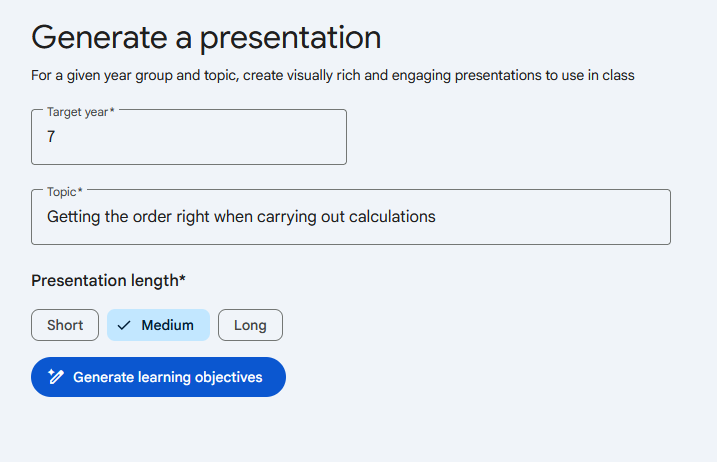
I’ve deliberately avoided using the terms “BIDMAS” or “Order of Operations.” My aim here is to impersonate a teacher unsure of how to approach the topic—the sort of person who might be tempted to create an AI presentation. By avoiding “BIDMAS” as an input, I’m trying not to lead the witness.
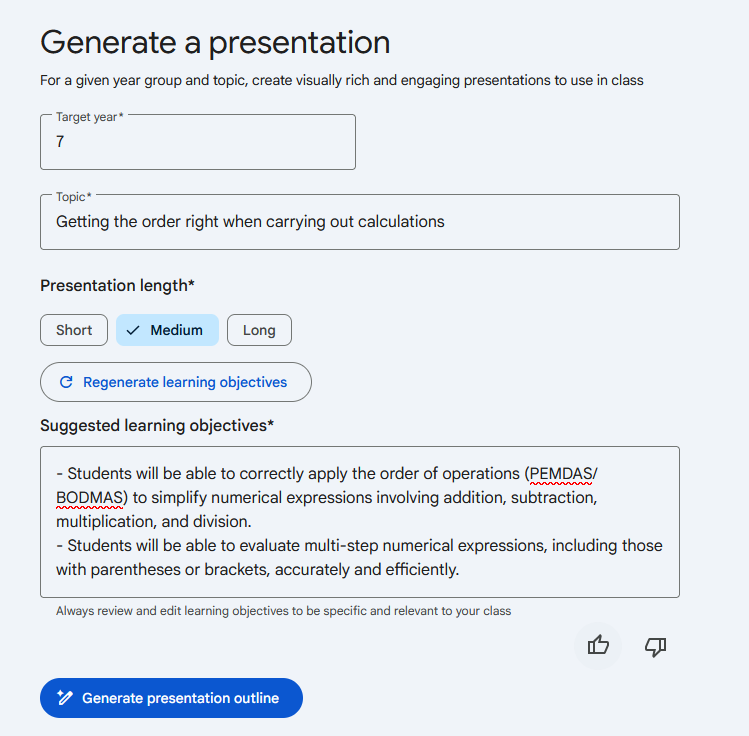
The AI immediately jumps to BODMAS. It’s worth saying here that BODMAS has its issues, for example:
\[15 - 4 + 1\]Give this to a “BODMAS child,” and there’s a good chance you’ll get an answer of 10, because they “add first.” Mnemonics are fine, but it is important to get students thinking about why we have an order, and why it is the order that it is. (See Nix The Tricks or Don Steward’s blog.)
There’s no trick to it; it’s just a simple trick!
I tried the same prompt with chalkie.ai, and this was the result:
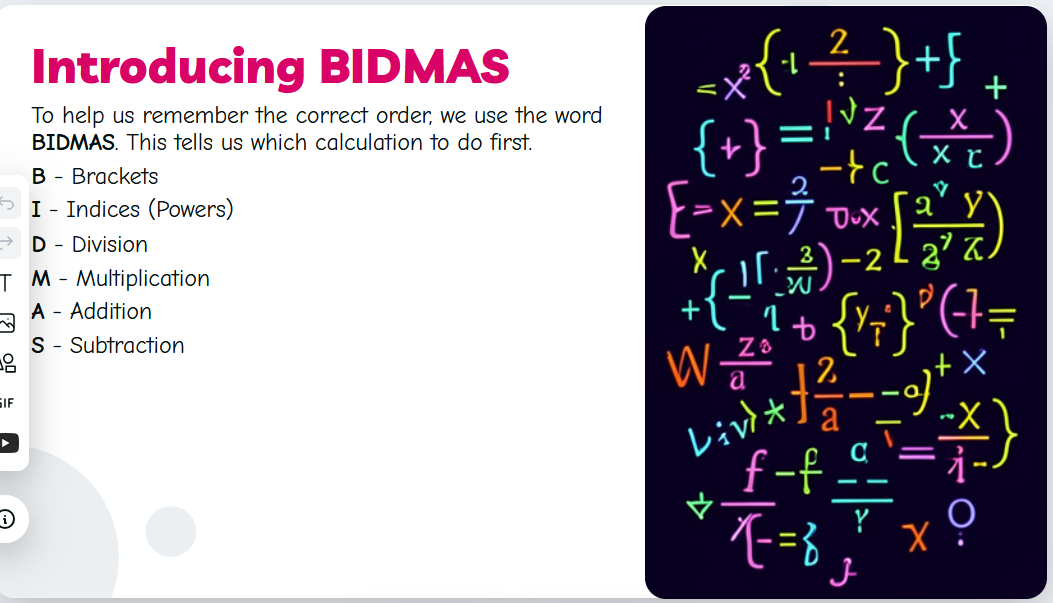
As teachers, it’s important to think about:
- What am I actually trying to teach, and why does it matter?
- When will this topic come up again, and what does it build up from? Am I helping with this progression?
- Is the way I’m explaining this clear?

This could be clearer.
AI makes it easy to generate a lesson. But is it just the wrong way, but faster?
Don’t praise the machine
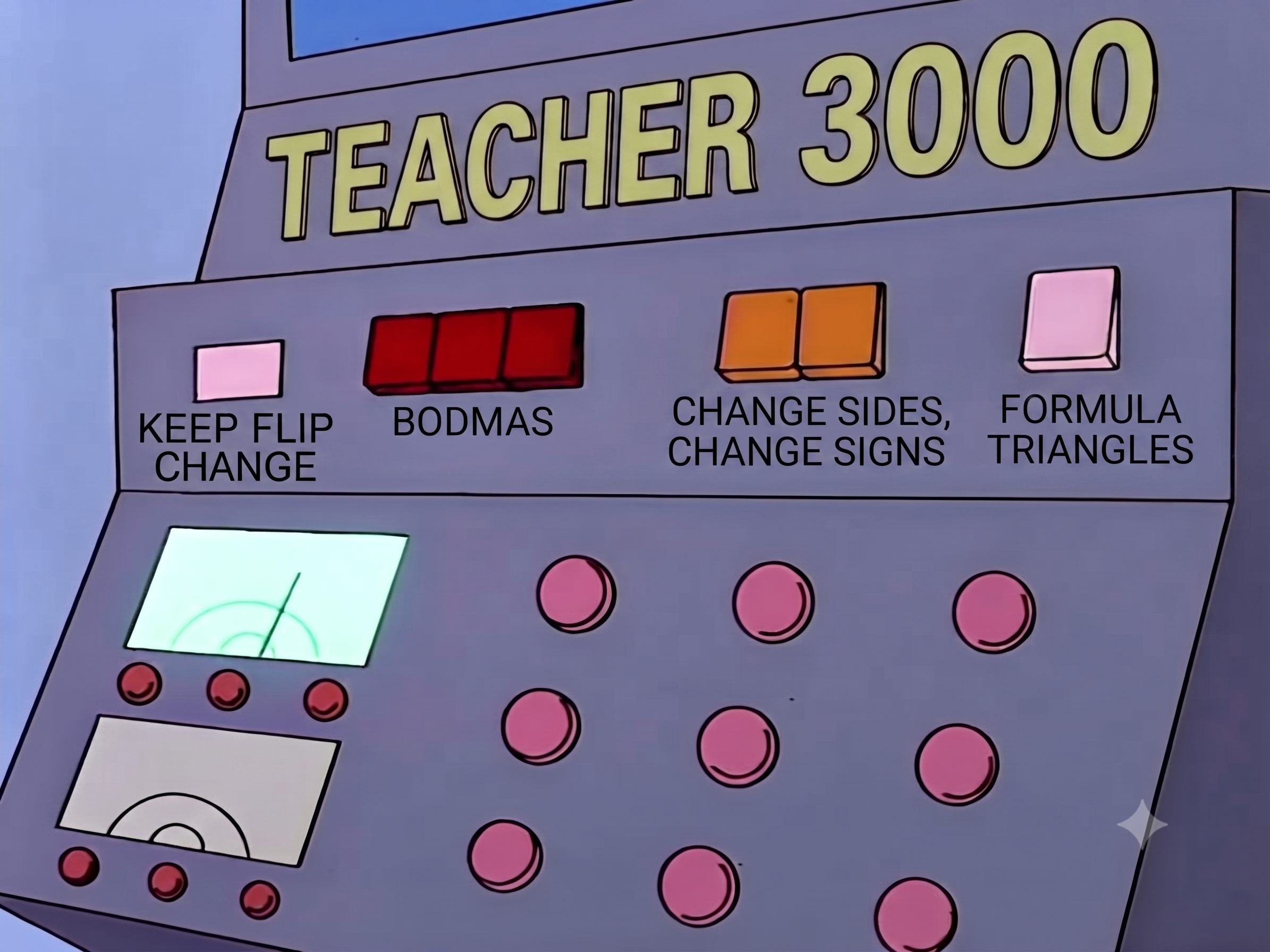
I’m not anti-AI. In fact, I’d say it has massively improved my ability to plan lessons. But what should be avoided is outsourcing thinking.
My method:
I write my lesson by hand, in a messy chicken-scrawl. But I think carefully about my examples, which questions I want to pose to the class, and which questions I want to be on a worksheet. This is where the important thinking goes in.
Turning that into a beautiful lesson is where AI comes in. I used AI to help me write a LaTeX template for slides. If you’ve not used LaTeX in a long time, or ever, let me get you started:
- Go to Overleaf and make an account, and start a new project.
- Go to your AI of choice, and tell it to write you the code for a LaTeX presentation. Specify the standard slides you want:
“Write me the latex code for a presentation to use as a maths teacher. I want a standard starter slide which has ten questions in two columns. I want an ‘I Do / You Do’ style of slide where two examples appear at the top. Leave me lots of room to write! I want a slide type for examples, where the example is at the top and there’s space for me to write underneath. Create the template and create a short example lesson on adding fractions so I can see the slide works. For any diagrams use tikz.”
Play around and give the AI feedback. Once you do, you can start feeding the AI your rough lesson plans: “Create a lesson using our template. First example is… then… the I do you do will be…”
You can even photograph your handwritten notes and have it make the lesson from that. I love this because it sorts out the most annoying part of lesson planning—turning the plan into something nicely formatted. At the SMC conference, I modelled this live—I asked those in the workshop to create some good questions for expanding brackets, and we created a quick worksheet.
Spot the Shark

I had a flash of brynspiration one day and decide to make a “Spot the Shark” challenge - the premise was to create some graphs where something dramatic happens, as a kind of fun way of getting into interpretting graphs. I first put pen to paper:
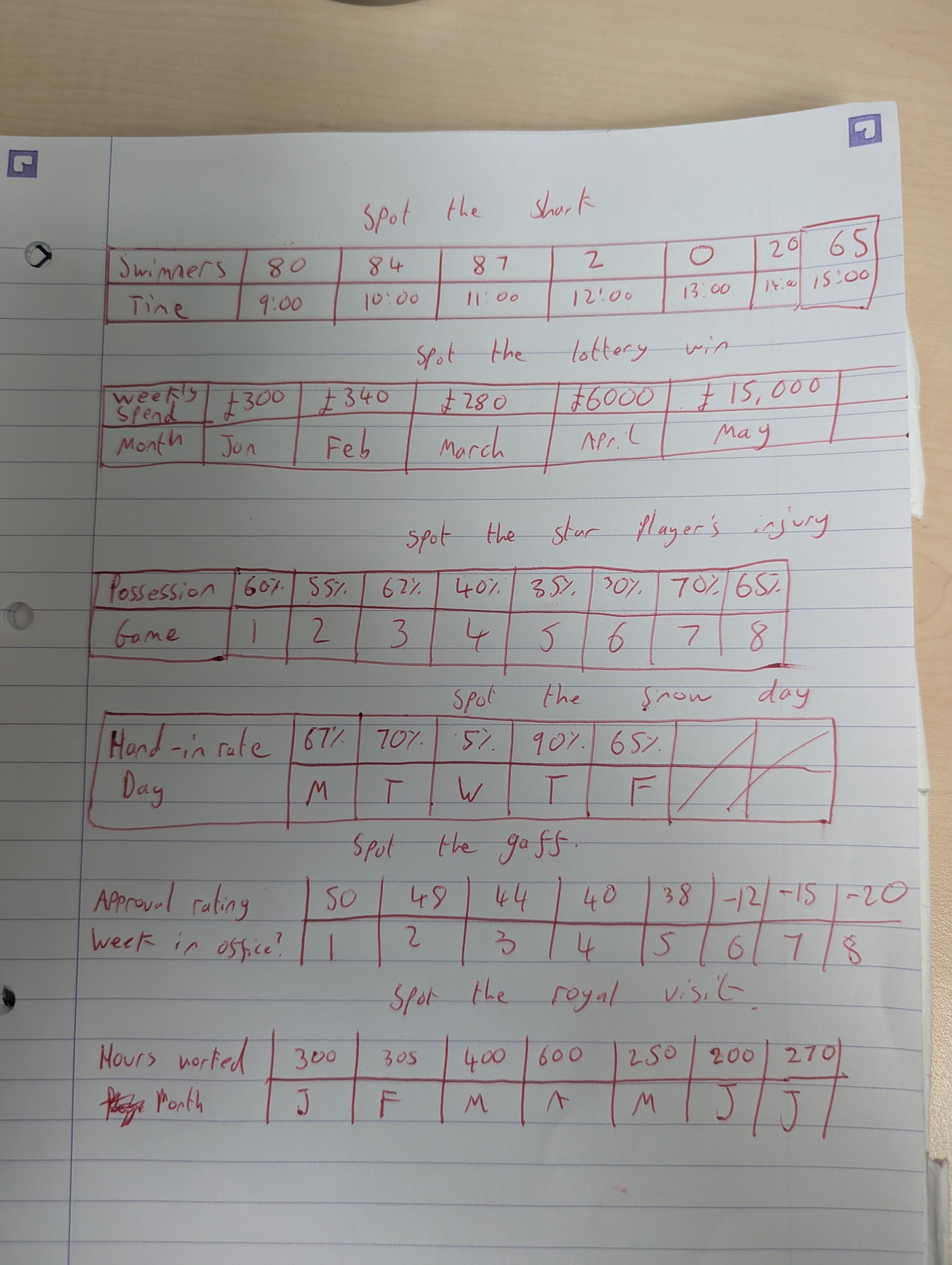
Next I wrote a prompt:
"”For this project we are going to create some lesson slides for interpreting a graph. There are 3 stages to this project: 1) You will take raw data from an image and create beautiful plots in RStudio - the raw data is attached. 2) Each plot has a theme: spot the shark, spot the lottery win, spot when the star player was injured, spot the snowday, spot the gaff, and spot the royal visit. The we’ll use an image generator to create vector style, visually appealing image to go on each slide to make them fun and engaging, kitsch even! 3) Finally we’ll write latex code to create the slides - I already have a presentation format, so I’ll share the current slides with you so you can slot the new ones in. Before we begin, ask me questions so that you fully understand the needs of this project.”
And then I got the output - Click the image to download the slides!
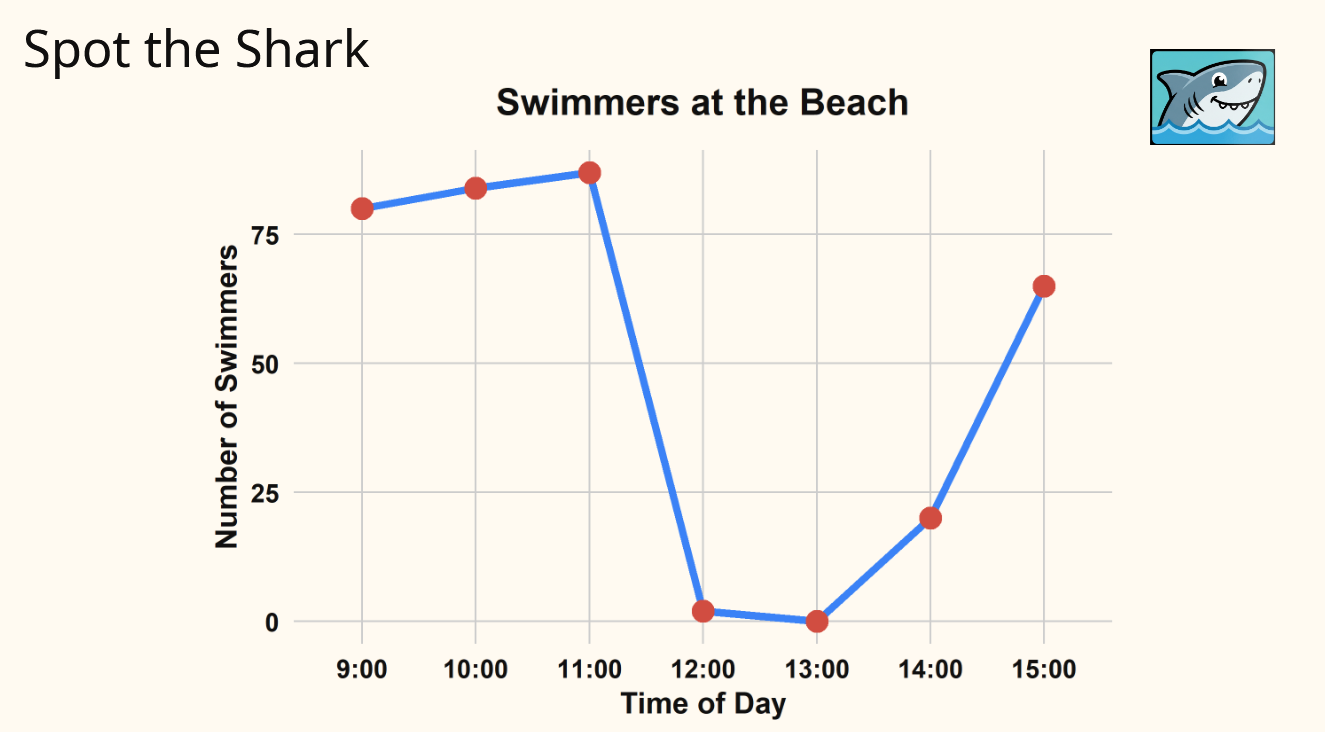
That’s a fine looking triangle… why doesn’t mine look like that?!
Back when AI was first being discussed, I tweeted the following:
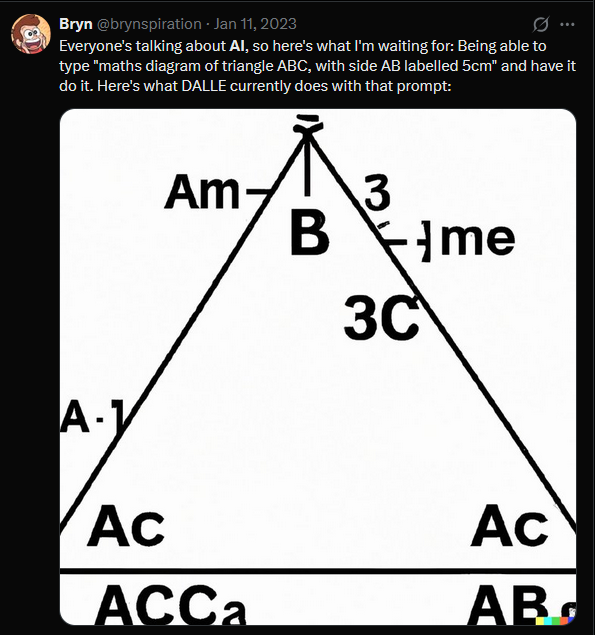
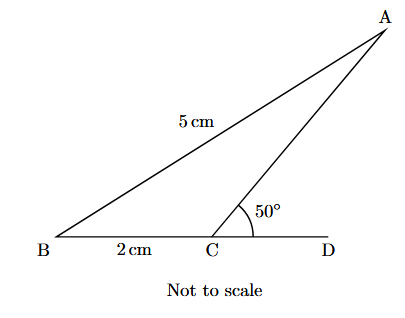
We are well past this now. If you use LaTeX, you can just say to the AI: “Write some simple latex code for a maths diagram of triangle ABC, with AB labelled as 5 cm. Line segment BC is extended to point D. Acute angle DCA is labelled 50 degrees. BC labelled 2 cm.”
Your output will be a PDF. These can be imported into any presentation software really easily (normally under File -> Import).
To AI: The cause of, and solution to, all of life’s problems
My advice would be:
- Don’t rely on AI to plan a lesson. If you have strong subject knowledge of a topic, you’ll be disappointed. If you don’t have strong subject knowledge, you’d be much better served acquiring it.
- Use AI to do small, easily checked things about which you have good knowledge.
- AI helps you do what you’re doing much faster. Whether what you’re doing is right or wrong, well, that’s on you.
📢 Don’t miss out!
A reminder that the BCME conference is on the 23rd-24th October 2026, and burseries for Scottish maths teachers can be applied for before 8th of July. Click here for bursary information, or find more information about the event in my previous blog.
-
By the way, I’m aware that the real quote is “The Max Power way,” Homer having changed his name in this episode, so don’t bother pointing that out.* ↩